StoryToon features: a complete cartoon studio in your browser
Write, direct, voice and export animated cartoons without animation skills or installs, and without AI unless you want it. Here is everything StoryToon can do today.
Three ways to direct the same story
Cards are the easiest: each card is one row, character → does → to → feeling → says, all from dropdowns, so mistakes are impossible. Script mode is fastest: type the story like a play and StoryToon highlights names, actions and emotions as you type. The Timeline gives full control, with a track per character plus camera, music and sound.
All three edit one story, so you can switch any time. Which mode should I use?
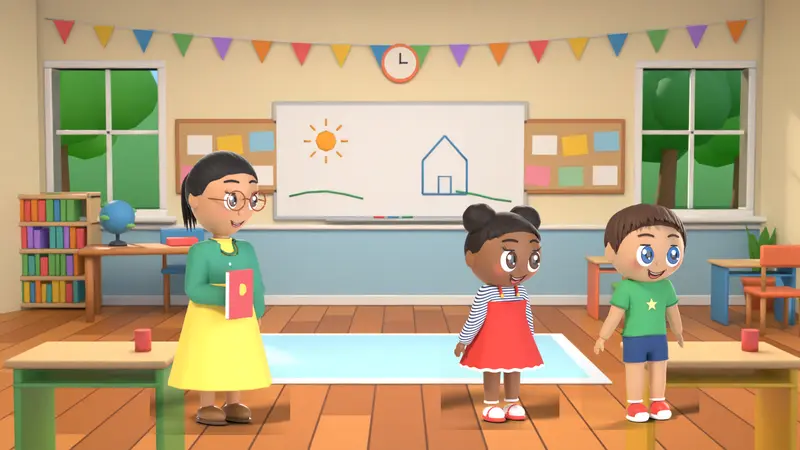
A script language that reads like English
Lines like Mia (scared): I heard Rex lives here... or Leo enters from left and walks to center are all it takes. Many words mean the same action (walks, strolls, steps all mean walk). Unknown words get a red underline and a suggestion found by spelling similarity, with a one-click fix. Comments start with #.
Actions, emotions and lip-sync
Every character understands 61 actions and 12 emotions. Emotions change the eyebrows, eyes, mouth, pose and gestures, not just the face:
- happy
- sad
- angry
- surprised
- scared
- sleepy
- love
- thinking
- confused
- proud
- shy
- disgusted
Lip-sync on every plan: the mouth moves with the voice, picked on every frame from its loudness and the vowels in the line. It works with your own recordings too. Idle life keeps characters breathing, blinking and glancing around when they are not acting.
A rule-based director and camera
- Characters walk to their spot first, then speak.
- In a conversation they turn to face each other.
- Each line lasts exactly as long as its voice, plus a small natural gap.
- The optional auto camera moves to whoever is speaking and changes shot every few lines.
- Characters never stand inside each other; they step aside.
- Camera moves you can write yourself: close-up, wide, pan, zoom and shake.
Free voices, made on your computer
StoryToon makes speech in your browser with two open-source engines: Piper for natural-sounding voices and eSpeak NG for many languages and robot or alien voices. About eight base voices become more than 30 character voices with pitch, speed and effects: robot, echo, radio, telephone, giant, chipmunk, monster, whisper, underwater and megaphone.
Prefer your own voice? Record any line with your microphone on every plan, trim it, and add the character’s effect. Mouths follow your recording too. Voice models download once and are kept by your browser. Only voices whose licences allow commercial use are included.
Characters, places and scenes
100 3D characters in one consistent style: people of every age, jobs and roles, animals, birds, dinosaurs, dragons and robots. 26 places from living rooms and classrooms to jungles, castles and space, each with day, sunset, night and rain or snow lighting. A project can have many scenes with transitions (cut, fade, slide, zoom, iris, wipe), music and sound effects.
Subtitles, bubbles and titles
Subtitles can be burned into the picture or saved as an SRT file, with font, size, colour, outline and position. Urdu and Arabic subtitles read right to left. Add speech bubbles (round, cloud, shout, whisper, thought), chapter titles, an intro card, lower-third name labels and automatic end credits.
Export in your browser
StoryToon draws every frame and encodes the video with your browser’s built-in encoder, usually faster than real time. You see the estimated time and file size first, and can keep editing while it runs.
| Option | Choices |
|---|---|
| Formats | MP4, WebM, GIF (short clips), PNG image sequence (paid), WAV audio |
| Shapes | 16:9, 9:16 (Shorts, Reels, TikTok), 1:1, 4:5 |
| Resolution | 480p and 720p on Free; 1080p, 1440p and 4K on Pro; Max (up to 8K where the browser supports it) on Studio |
| Frame rate | 24, 30, and 60 fps on paid plans |
| Range | Whole story, one scene, or a custom part |
| Extras | Subtitles (burned in or SRT), thumbnail PNG for YouTube |
Free plan: 1 video per day, up to 30 seconds, 720p, with a small watermark. How the daily free export works.
Optional AI and your own GPU
Everything above works without AI. AI features are optional extras, off by default: the platform owner, and team admins within what the owner allows, switch them on per plan, team or user.
- AI director: describe your video and pick characters, a place or a script. The AI writes a StoryToon script that goes through the same parser and director as a hand-written one and opens in the studio, where you can edit everything by hand.
- Rate and improve: rate a video from 1 to 10 with notes. On a low rating the AI asks up to 3 follow-up questions, then revises the script. Earlier versions are kept, so you can compare and undo.
- AI help in the makers: describe a character, place or sound in words to fill in the maker.
- Bring your own key: OpenAI (ChatGPT), Anthropic (Claude), Google (Gemini), DeepSeek, Mistral, Groq, OpenRouter or any OpenAI-compatible address. You pay your provider directly; keys are encrypted, write-only and never logged. No key? Ask your admin for one.
- Kid-safe: AI requests carry a kid-safe instruction, AI output goes through content checks, and an admin can switch any AI feature off at once.
- Your own GPU (optional): link a rented cloud GPU, a PC with an NVIDIA GPU or an Apple-Silicon Mac and choose “Render on my GPU” when you export. It is in Beta (draft quality: no skeletal animation, faces or lip-sync yet) and off until the platform owner switches it on. You pay your GPU provider. Rendering in the browser stays the default and is free.
Use your own AI key · Ask your admin for an AI key · Link your own GPU
Private, offline and AI optional
- Works without AI: scripts are understood with rules and a word list. Optional AI features use your own key and are off by default.
- Rendered in your browser: the video file stays on your device unless you choose Render on my GPU (Beta) or save it to My videos, which stores the MP4 in your export history. Optional AI features send your prompt or script text to the AI provider whose key is used; StoryToon does not store it.
- Editing and preview keep working offline; cloud saving catches up later. Starting an export needs a connection.
- Passwords stored only as strong hashes; private fields and cloud projects are encrypted.
- No ads, no tracking cookies, no selling of data.
For teams and schools
Team and School accounts have four roles (Client Admin, Manager, Creator, Viewer), an optional approval before export rule, and a switch for who may create public share links. Studio adds a brand kit with your logo, intro and outro, and colours. How team roles work.
Free tools
Besides the cartoon studio, StoryToon has browser tools: converters that turn a video into MP3, WAV, M4A or GIF without uploading it, a simple video editor, and makers for your own characters, places and sounds. The site owner chooses which tools are switched on. See all tools.
Frequently asked questions
How many actions can a character do?
61 actions, from walk, run and jump to wave, clap, sit, eat, read, dance and sing, plus animal specials like roar, bark, tail wag and peck. Actions adapt to the body: birds fly, fish swim.
Which video sizes can I export?
MP4 is the main format (also WebM, GIF for short clips, PNG image sequence and WAV audio). Shapes: 16:9, 9:16 for Shorts and Reels, 1:1 and 4:5. Resolution goes from 480p and 720p on Free up to 4K on Pro and Max on Studio.
Can I keep editing while a video exports?
Yes. Exports run in the background on your computer; progress shows in the status bar. A failed or cancelled export never counts towards the daily free video.
Does StoryToon use AI?
Only if you want it. Everything works without AI: scripts are read with fixed rules and a word list, and a rule-based director does the acting and camera. Optional AI features are off by default; if they are on for your account, you bring your own key and pay your AI provider directly. See Use your own AI key.
Which browsers work?
Recent desktop Chrome and Edge give the fastest exports, because StoryToon uses the browser’s built-in video encoder (WebCodecs). Other modern browsers can edit and preview; older ones fall back to a slower real-time recording.
Ready to make your first cartoon?
Write a few lines, press Play, and export a video. The Free plan needs no card.